linear-term - a TUI for Linear
A terminal user interface for Linear project management

A little over a decade ago, toward the start of my Ph.D., I started programming for real work for the first time. I was doing data analysis in C++ using ROOT (and yes, data analysis in C++ is as awful as it sounds). At the time, My advisor was the first person to introduce me to a terminal and to emacs. I’m pretty sure when I wasn’t looking, he aliased emacs = emacs -nw just so I could do all work through the terminal.
In 2018, I switched to VSCode. The integrated terminal made it feel like a one-stop-shop - everything in one program, no context switching, plus a rich editing experience. But I’ve always missed parts of a terminal-only workflow, and lately I’ve been drifting back to it.
This has made me a sucker for terminal-based tooling. One friction point I noticed recently: there isn’t a good terminal user interface (TUI) for Linear project management, which forces me to context-switch into the native app to log progress, comment on issues, etc. So this past weekend I hacked together my own.
linear-term is the TUI I put together (repo here). It was built using textual in python. The original design was intended to look similar to the native app, but within the terminal.
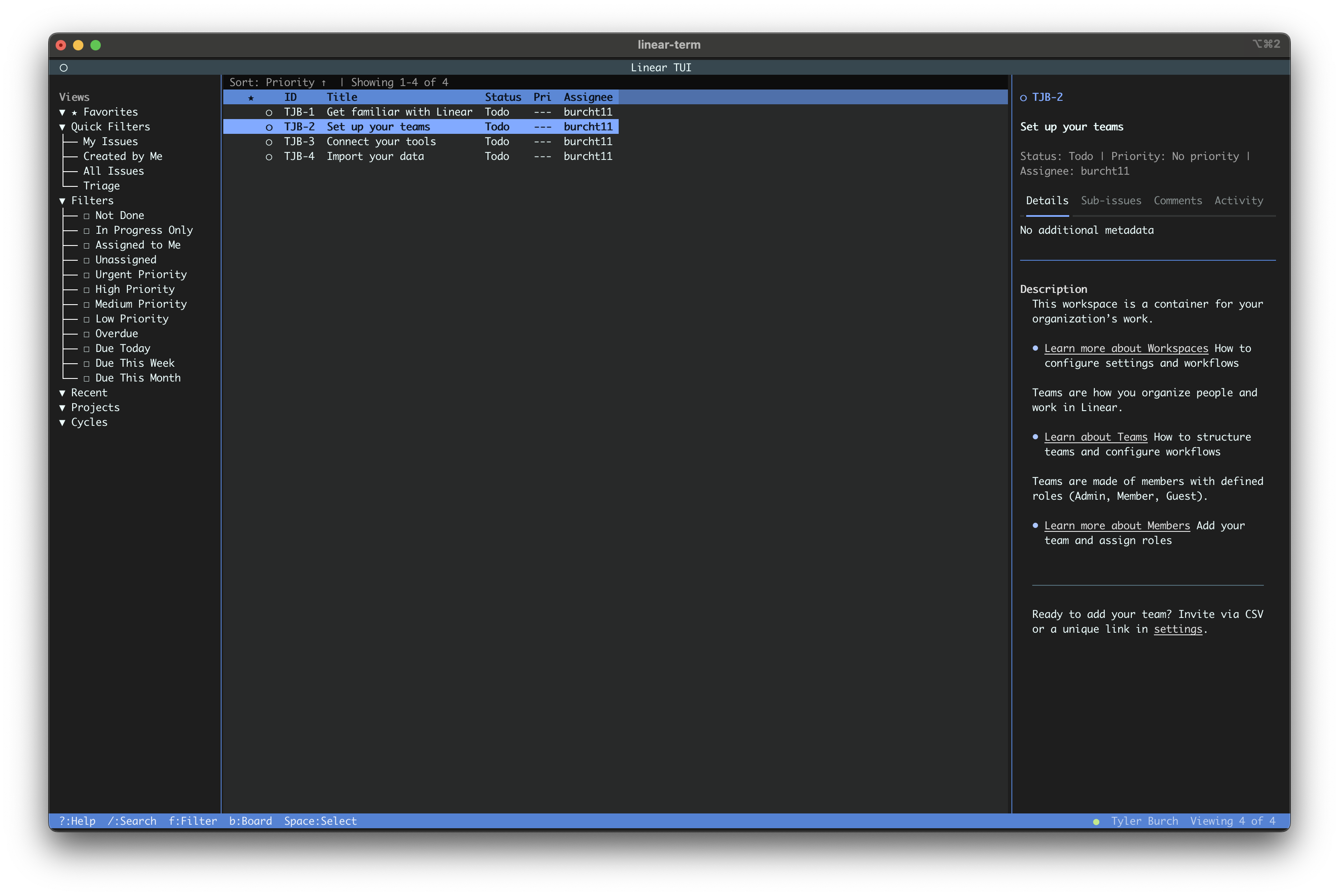
It’s a 3-panel layout: the center shows your issues, the right panel shows issue details once selected, and the left panel has filtering options. You can toggle through each via TAB or F1, F2, F3.
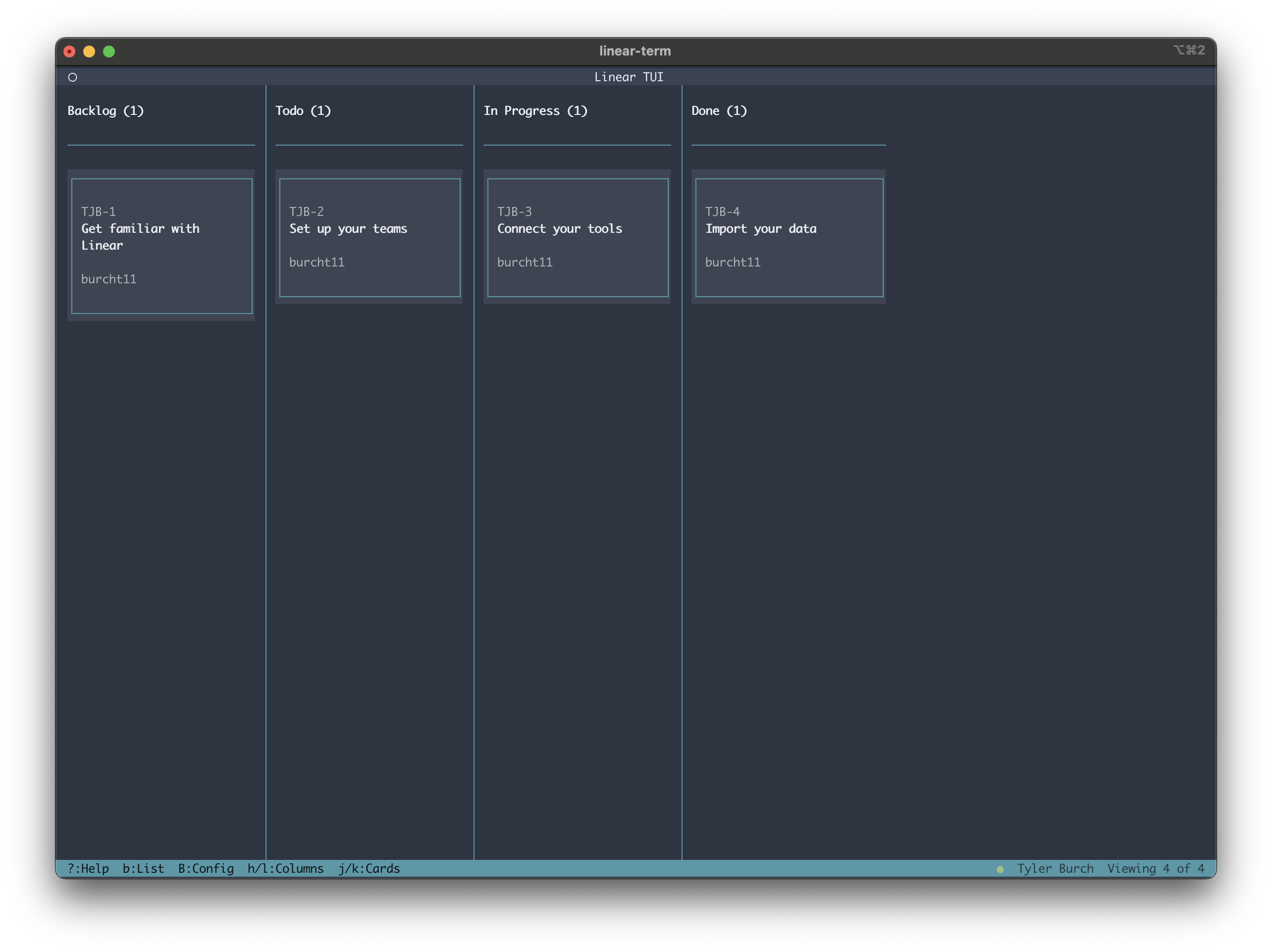
I also created a kanban board view, accessible via b, where you can look at issues by their status.
I also added some CLI tools. There are existing Linear CLIs out there, but I wanted this to be enough of a one-stop-shop that you didn’t have to install a bunch of other tools.
For example:
$ linear-term list --mine
TJB-1 [Backlog] --- Get familiar with Linear @Tyler Burch
TJB-4 [Done] --- Import your data @Tyler Burch
TJB-3 [In Progress] --- Connect your tools @Tyler Burch
TJB-2 [Todo] --- Set up your teams @Tyler Burch
I mainly put this together for my own use, but please feel free to use it if you’re interested. Happy to hear feedback, or take contributions too.
A terminal user interface for Linear project management
A lightning-round collection of loose threads from 2025
Books I read in 2023
Who will win this year’s cup?
Books I read in 2022
Just how lucky have the 18-3 Bruins gotten?
Interoperability is the name of the game
Books I read in 2021
I got a job!
Books I read in 2020
Revisiting some old work, and handling some heteroscadasticity
Using a Bayesian GLM in order to see if a lack of fans translates to a lack of home-field advantage
An analytical solution plus some plots in R (yes, you read that right, R)
okay… I made a small mistake
Creating a practical application for the hit classifier (along with some reflections on the model development)
Diving into resampling to sort out a very imbalanced class problem
Or, ‘how I learned the word pneumonoultramicroscopicsilicovolcanoconiosis’
Amping up the hit outcome model with feature engineering and hyperparameter optimization
Can we classify the outcome of a baseball hit based on the hit kinematics?
Updates on my PhD dissertation progress and defense
My bread baking adventures and favorite recipes
A summary of my experience applying to work in MLB Front Offices over the 2019-2020 offseason
Books I read in 2019
Busting out the trusty random number generator
Perhaps we’re being a bit hyperbolic
Revisiting more fake-baseball for 538
A deep-dive into Lance Lynn’s recent dominance
Fresh-off-the-press Higgs results!
How do theoretical players stack up against Joe Dimaggio?
I went to Pittsburgh to talk Higgs
If baseball isn’t random enough, let’s make it into a dice game
Random one-off visualizations from 2019
Books I read in 2018
Or: how to summarize a PhD’s worth of work in 8 minutes
Double the Higgs, double the fun!
A data-driven summary of the 2018 Reddit /r/Baseball Trade Deadline Game
A 2017 player analysis of Tommy Pham